

I have a bunch of Fedora spins on a usb stick, kind of find it the most convenient to try various desktops without installing and uninstalling too much crap on my main system. At least until I can feel arsed to set up all the VM stuff the way I like.
Community Linux
- Thread starter LEANIJA
- Start date
You are using an out of date browser. It may not display this or other websites correctly.
You should upgrade or use an alternative browser.
You should upgrade or use an alternative browser.


Here's a very good, step-by-step, beginner-friendly installation tutorial for Ubuntu 25.10 
This channel in general has a lot of good Linux tutorial videos
This channel in general has a lot of good Linux tutorial videos

2026 will be the year of the linux desktop
Linux gamers on Steam finally cross over the 3% mark
It finally happened. Linux gamers on Steam as of the Steam Hardware & Software Survey for October 2025 have crossed over the elusive 3% mark.www.gamingonlinux.com


Upgraded to the newest Kubuntu. The upgrade went well. Only stupid thing was that there was a button on the task bar to update, and clicking that gave an error lol. Upgrade failed due to: (empty text box). So upgraded in konsole with
do-release-upgrade -f DistUpgradeViewKDE
and everything went smooth.
do-release-upgrade -f DistUpgradeViewKDE
and everything went smooth.


My Linux use is just a plain KDE desktop that boots into Steam BPM. No real need for anything fancy.
As for mail client, it'll be the same as on every OS I use: Proton Mail.
Vivaldi has quickly become my favourite browser across every platform. I haven't encountered any snags using this at all, as opposed to other browsers that have had one issue or another with either my Mac, Linux, Windows or iOS devices.
As for mail client, it'll be the same as on every OS I use: Proton Mail.
Vivaldi has quickly become my favourite browser across every platform. I haven't encountered any snags using this at all, as opposed to other browsers that have had one issue or another with either my Mac, Linux, Windows or iOS devices.
Nebulys yeah I've gone over to Vivaldi too, really liking it thus far! Just installed it on my iphone too. I was wondering about even using the inbuilt mail thing in Vivaldi.
Nebulys yeah I've gone over to Vivaldi too, really liking it thus far! Just installed it on my iphone too. I was wondering about even using the inbuilt mail thing in Vivaldi.
I've been using Vivaldi since it came out and wouldn't trade it for anything.
and I've been using Vivaldis built-in mail client similarly since it came out (I had used Operas built-in Mail client before they axed it, too).
I think it works well! Does everything I need from a mail client.
regarding screenshots of our Linux systems: mine looks like this right now – the wallpaper changes regularly, I've collected lots of nice wallpapers over the years. KDE has a wallpaper of the day system built-in that has good ones daily. Other than that I keep it minimal & clean.
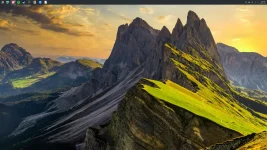

Mine's just a bog standard KDE. 
I still use Thunderbird, but I'm definitely open to other options. The one thing that I also use Thunderbird for is as an RSS client which I would need to find a replacement for.
How's the adblocking in Vivaldi nowadays? I know Mozilla was like "we will support manifest 2 so ublock origin can work at its best" and I stuck with firefox for that, so I'm curious what's that like on Vivaldi. I seem to recall they said at some point that they would support V2 as long as it was on chromium, so how's that been going you folks?
I still use Thunderbird, but I'm definitely open to other options. The one thing that I also use Thunderbird for is as an RSS client which I would need to find a replacement for.
How's the adblocking in Vivaldi nowadays? I know Mozilla was like "we will support manifest 2 so ublock origin can work at its best" and I stuck with firefox for that, so I'm curious what's that like on Vivaldi. I seem to recall they said at some point that they would support V2 as long as it was on chromium, so how's that been going you folks?
Last edited:
Mine's just a bog standard KDE.
I still use Thunderbird, but I'm definitely open to other options. The one thing that I also use Thunderbird for is as an RSS client which I would need to find a replacement for.
How's the adblocking in Vivaldi nowadays? I know Mozilla was like we will support manifest 2 so ublock origin can work at its best and I stuck with firefox for that, so I'm curious what's that like on Vivaldi. I seem to recall they said at some point that they would support V2 as long as it was on chromium, so how's that been going you folks?
I still use uBlock Origin on Vivaldi on both Linux and MacOS – works without problems; and the built-in adblocker is good as well (it works well enough – and it works on mobile; but it doesnt let me block things directly that I pick myself, like uBlock does)
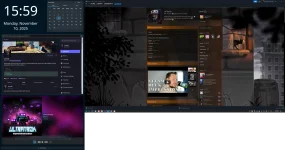
My set up right now, I have two screen, one vertical, trying out the feel of widgets.


mine is kinda boringSo you all should post screenshots of how you linux setups look like!
I saw some folks with lot of customization but when I'm at the pc I'm using the browser or playing games so I dont feel the need to install a lot of applets and desklets
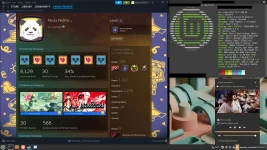
Yeah I kind of want to do lots of cool customisation but as you say, when I actually sit on my computer I either game or code. One of the harder things with linux is just know what can be done.I saw some folks with lot of customization but when I'm at the pc I'm using the browser or playing games so I dont feel the need to install a lot of applets and desklets
I can't seem to upload an image here, maybe because i'm still a junior member?
I can't seem to upload an image here, maybe because i'm still a junior member?
You need to be a full member to be able to upload an image directly to the forums. Alternatively you can upl oad it to a service like imgbb.com and ise the provided link to embed it here.

I've been using postimage for a while for random img uploads.
Oh I had no idea Vivaldi had its own blocker, that's handy.I still use uBlock Origin on Vivaldi on both Linux and MacOS – works without problems; and the built-in adblocker is good as well (it works well enough – and it works on mobile; but it doesnt let me block things directly that I pick myself, like uBlock does)
I was just looking around a bit and it does sound like V2 is still in there, but I imagine it's going to get harder and harder to maintain the longer upstream goes without it.
Maybe I should take a look at Vivaldi one of these days though. And also research some email + rss reader options to replace Thunderbird.
edit: OH Vivaldi also has mail support and a feed reader. My interest has been piqued.
But all I really want is for Ladybird to mature and be good (and popular).
Also Servo.
Last edited:
Some new / maturing browsers would be great. But also, the web is so horrible now. Between datamining, sites that refuse to work when you use a vpn, ai slop chatbots, anti-adblock... wew. So I stick to a few sites more and more.
Edit: 300 messages to become full member? That'll take a while
Edit: 300 messages to become full member? That'll take a while

As hyped as I was for ladybird, it kind of turned out the creator has some alt-righty views, that made me personally go for vivendi. But these days its hard to use anything in tech without some problematic person attached to it.Oh I had no idea Vivaldi had its own blocker, that's handy.
I was just looking around a bit and it does sound like V2 is still in there, but I imagine it's going to get harder and harder to maintain the longer upstream goes without it.
Maybe I should take a look at Vivaldi one of these days though. And also research some email + rss reader options to replace Thunderbird.
edit: OH Vivaldi also has mail support and a feed reader. My interest has been piqued.
But all I really want is for Ladybird to mature and be good (and popular).
Also Servo.
Not saying not to be hyped for it, just a headsup in case you wanted to know.

You can't just say that not provide a link or something.As hyped as I was for ladybird, it kind of turned out the creator has some alt-righty views, that made me personally go for vivendi. But these days its hard to use anything in tech without some problematic person attached to it.
Not saying not to be hyped for it, just a headsup in case you wanted to know.

Tried to find something what will be summery, while little hyperbolic but shows there is smoke.You can't just say that not provide a link or something.
Cloudflare bankrolls fascists
 drewdevault.com
I think I personally have become pretty sensitive to stuff like that, so if it is something that Im not heavily invested in I will gladly just bounce off it whenever something like this happens.
Ah, crap.Tried to find something what will be summery, while little hyperbolic but shows there is smoke.
Cloudflare bankrolls fascists
I think I personally have become pretty sensitive to stuff like that, so if it is something that Im not heavily invested in I will gladly just bounce off it whenever something like this happens.
Well here's hoping that he steps down at some point and it will continue on.
Or maybe Servo develops into a full fledged browser at some point in addition to its embedding goals.
Playnite is probably the best thing about Windows. If we get this on Linux and it can be used as the default controller UI in Game Mode, that’s a massive game changer.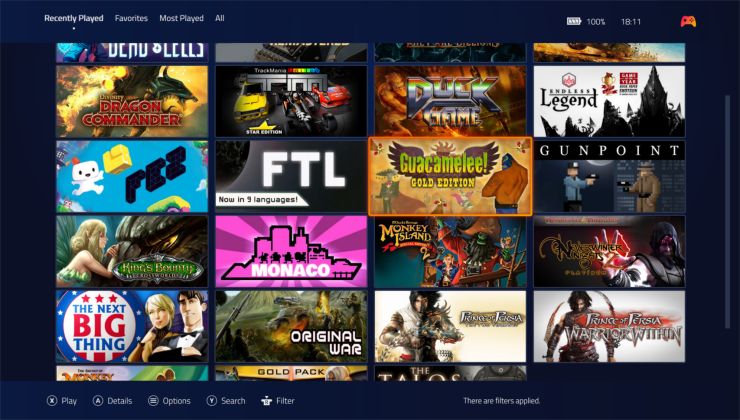
Playnite may get a Linux version during 2026 as the creator plans a move to Linux
Creator of the popular free and open source video game library manager Playnite has a positive update on a Linux version, with plans for it during 2026.


I'm at my wit's end with my current PC. I have no idea what's causing it (driver, HW, mix of both) but I keep getting hard freezes in AAA games when I play at framerates above 60fps.
I suspect it's either my GPU (9070 XT - either a driver issue or hardware issue), or my PSU's inability to deal with the GPU, but I really don't want to go around chasing my tail on this because my free time is too valuable to be spent trying to solve it, and I don't find troubleshooting PCs as fun as I used to in my 20s. I could try installing Windows and running stress tests to see if I can reproduce the issue, or I could buy a new PSU and test that in Linux and see if I get the same issue, but then I am potentially spending money for no gain, and spending time rewiring the whole PC, which is the last thing I want.
I'd saved up a significant sum for a new PC a year ago, and it's been sitting in my savings account for a while. I was going to wait a few years as my current PC specs are fine, but I am now at a point where I have expended enough time trying to fix this to no avail and it's actually making me sad.
So I'm seriously considering going scorched earth, selling all my current parts and building a whole new PC. I really dont' want to do something drastic like this, but at this point I feel I have no choice.
How are Nvidia GPUs on Linux these days? I know there's the "Nvidia performance tax", but is that close to being resolved? I'm considering a 5070 Ti or 5080.
Regardless of what I do, I really, really, really don't want to go back to Windows.
I suspect it's either my GPU (9070 XT - either a driver issue or hardware issue), or my PSU's inability to deal with the GPU, but I really don't want to go around chasing my tail on this because my free time is too valuable to be spent trying to solve it, and I don't find troubleshooting PCs as fun as I used to in my 20s. I could try installing Windows and running stress tests to see if I can reproduce the issue, or I could buy a new PSU and test that in Linux and see if I get the same issue, but then I am potentially spending money for no gain, and spending time rewiring the whole PC, which is the last thing I want.
I'd saved up a significant sum for a new PC a year ago, and it's been sitting in my savings account for a while. I was going to wait a few years as my current PC specs are fine, but I am now at a point where I have expended enough time trying to fix this to no avail and it's actually making me sad.
So I'm seriously considering going scorched earth, selling all my current parts and building a whole new PC. I really dont' want to do something drastic like this, but at this point I feel I have no choice.
How are Nvidia GPUs on Linux these days? I know there's the "Nvidia performance tax", but is that close to being resolved? I'm considering a 5070 Ti or 5080.
Regardless of what I do, I really, really, really don't want to go back to Windows.


I think I’m going to switch back to Windows until the situation with Linux is a bit more stable. I lasted 6 months, but the freezing is incredibly off putting.

So, my main gaming rig is on Linux, but I have a PC hooked up to my TV that is still running Windows, which I mostly play games on through Moonlight but do occasionally run games directly on, for games where latency will be a problem. I didn't want to switch since I have a pretty intricate AutoHotKey script to start Moonlight when I connect my controller, and I don't know how to replicate that functionality on Linux.
Ideally, I want to use Steam's remote play streaming to stream games to the TV, since I'm going to be getting a new Steam Controller and that's the only way I'd be reasonably able to use it in a remote-play setting. But Steam's remote play is just kind of broken in a bunch of convoluted ways; using the dedicated "Steam Link" app works the best, but is very janky when streaming from a Linux host. Bringing up the side menus while not in a game makes the screen go black, unless Steam's Big Picture is running in a window, as an example.
Meanwhile, using Steam itself on the client PC was basically non-functional. It brings up a separate window for the remote play feed, but that window wouldn't send home button inputs to the host; they'd get caught by Steam BPM in the background, wreaking havoc as both the game on the host and Steam BPM on the client are doing things with the controller input at the same time. This behavior occurred both on Windows and Linux. So, that was a bust.
Anyway, the other day I was fiddling with my HTPC setup to see if I could get USB/IP to work, and I noticed that bug with using Steam as the client was fixed at some point! And Steam remote play actually gives me noticably better latency than Moonlight. Long story short, I should be able to switch my living room PC to Linux now, assuming that fixed behavior carries over to Linux*. Then in 2026, zero percent of my gaming time would be on Windows. Hell yes.
*It's possible that stopped happening because I switched Steam to run in Admin mode, to work around some gacha game problems. I'll need to test when I get home.
Ideally, I want to use Steam's remote play streaming to stream games to the TV, since I'm going to be getting a new Steam Controller and that's the only way I'd be reasonably able to use it in a remote-play setting. But Steam's remote play is just kind of broken in a bunch of convoluted ways; using the dedicated "Steam Link" app works the best, but is very janky when streaming from a Linux host. Bringing up the side menus while not in a game makes the screen go black, unless Steam's Big Picture is running in a window, as an example.
Meanwhile, using Steam itself on the client PC was basically non-functional. It brings up a separate window for the remote play feed, but that window wouldn't send home button inputs to the host; they'd get caught by Steam BPM in the background, wreaking havoc as both the game on the host and Steam BPM on the client are doing things with the controller input at the same time. This behavior occurred both on Windows and Linux. So, that was a bust.
Anyway, the other day I was fiddling with my HTPC setup to see if I could get USB/IP to work, and I noticed that bug with using Steam as the client was fixed at some point! And Steam remote play actually gives me noticably better latency than Moonlight. Long story short, I should be able to switch my living room PC to Linux now, assuming that fixed behavior carries over to Linux*. Then in 2026, zero percent of my gaming time would be on Windows. Hell yes.
*It's possible that stopped happening because I switched Steam to run in Admin mode, to work around some gacha game problems. I'll need to test when I get home.
I think Valve have been improving their streaming stuff over the last 18 months or so as they've been having a Remote Play Together push alongside getting latency down to as low as possible for the Steam Frame.
It's very good now, and I don't have any issues using Steam Remote Play over Moonlight anymore.
It's very good now, and I don't have any issues using Steam Remote Play over Moonlight anymore.

Release GE-Proton10-26 Released · GloriousEggroll/proton-ge-custom
Github workflows: fixup automatic building and attachment of GE-Proton release tarballs. Proton: changes imported for upstream proton changes imported for upstream build environment changes impo...
 github.com

Time to Switch to FreeBSD j/k
Platinum Members of the new Agentic AI Foundation include Amazon Web Services, Anthropic, Block, Bloomberg, Cloudflare, Google, Microsoft, and OpenAI.
Might as well take money from these idiots while they have money.
LearnLinuxTV also reviewed PopOS 2404 and their new Cosmic Desktop (quite positively)
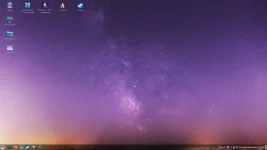
I've been using Mint for two months and so far I didn't have any major issues so far.
computador, i love itI've been using Mint for two months and so far I didn't have any major issues so far.

computador, i love it
That's just computer in Portuguese lol
Edit: I forgot to post about, but I think I previously said that I had some issues with the audio output on my GameSir G7 SE controller. I installed this driver GitHub - medusalix/xone: Linux kernel driver for Xbox One and Xbox Series X|S accessories but it didn't worked at all and I just ignored the issue as the git wasn't maintained and didnt have any update for quite some time.
The past days I decided to look into and I've found a fork for the same kernel driver GitHub - dlundqvist/xone: Linux kernel driver for Xbox One and Xbox Series X|S accessories and guess what? This one worked like a charm
Last edited:
oh, i knowThat's just computer in Portuguese lol
still - it's great
Something I kind of dislike about apps in Linux, is that one app is never really good enough, like when it comes to music, to correct tags, fix album covers and listen taken three different apps for me, if we dont count converting. Wish I could just have one app that did things well.
it's the same thing on windows, sadlySomething I kind of dislike about apps in Linux, is that one app is never really good enough, like when it comes to music, to correct tags, fix album covers and listen taken three different apps for me, if we dont count converting. Wish I could just have one app that did things well.
i use like 4 or 5 different apps to get that shit in order, lol

Yeaaaah boi, living room PC is set up with CachyOS.
I like the way KDE lets you disable logging in with a password. You can get in right away and start playing games on Steam, but opening something like a browser for the first time will bring up a prompt. But by then, Steam's open and I have access to an on-screen keyboard.
I like the way KDE lets you disable logging in with a password. You can get in right away and start playing games on Steam, but opening something like a browser for the first time will bring up a prompt. But by then, Steam's open and I have access to an on-screen keyboard.
Something I kind of dislike about apps in Linux, is that one app is never really good enough, like when it comes to music, to correct tags, fix album covers and listen taken three different apps for me, if we dont count converting. Wish I could just have one app that did things well.
what do you use? I would say you can do all that with Sayonara (except converting)
it would also be nice to have a player that doesn't look like it was made in the 90swhat do you use? I would say you can do all that with Sayonara (except converting)
I use Lollipop to play my music just because it looks nice, I want nice album view but that cant even change tags lol, so I use kid3 to change tags and then Strawberry to fix album art. I miss itunes lol
I use Lollipop to play my music just because it looks nice, I want nice album view but that cant even change tags lol, so I use kid3 to change tags and then Strawberry to fix album art. I miss itunes lol
Rhythmbox is another one you could check out. I actually use that most of the time (well, apart from Spotify)
It Feels a bit like iTunes (whilst Sayonara is more akin to Winamp). Never tried (or heard of) Lollipop, I'll take a look
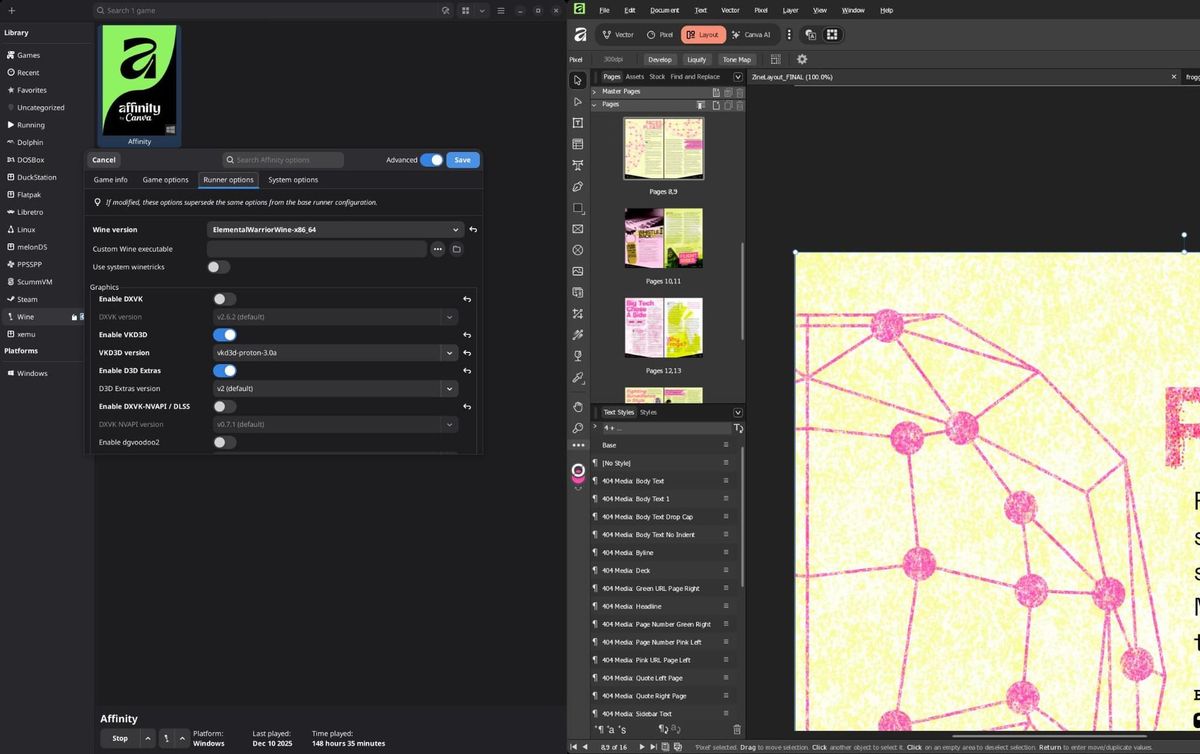
The Weird Way the 404 Media Zine Was Built
Lessons on laying out the 404 Media zine using a relatively weird setup—on Linux, using Affinity, with the help of the Windows translation layer WINE.
 www.404media.co
the year of linux
All it took was macOS and Windows to become intolerably shite over the last year or so.
All it took was macOS and Windows to become intolerably shite over the last year or so.
ai finally did something goodthe year of linux
All it took was macOS and Windows to become intolerably shite over the last year or so.
and no Phawx? ROBBED!!!Featuring: Liam (Gaming on linux), Gardiner Bryant, The Linux Experiment and Linux For Everyone